

TL;DR:
- Effective community website design involves planning visual, structural, and usability elements that ensure accessibility and user engagement across devices. Prioritising function, inclusion, and mission alignment creates trust and long-term impact, rather than focusing solely on aesthetics. Continuous collaboration and ethical practices are essential for building accessible, responsive, and purpose-driven digital spaces.
Many community organisations assume website design is primarily about choosing colours and fonts. That assumption is costly. What is website design, in full? It is the planning and arrangement of a site’s visual elements, structure, navigation, and user experience to ensure visitors can find information, take action, and engage with content on any device. Web design combines visual choices with usability to enable smooth, accessible user interaction. For community groups, getting this right is not optional. It directly affects trust, participation, and mission outcomes.
Table of Contents
- What website design really means
- Accessibility and user experience essentials in website design
- The strategic role of purpose-driven website design in community organisations
- Responsiveness and technical foundations for an inclusive website
- Integrating SEO with website design for community impact
- Why meaningful website design is more than aesthetics for community organisations
- How Marzipan supports community organisations with ethical website design and SEO
- Frequently asked questions
What website design really means
Website design encompasses far more than appearance. It is the discipline of planning how a site looks, how it is structured, and how visitors move through it. Web design combines visual layout with usability to enable smooth, accessible user interaction across every type of device and browser.
For community organisations, this breadth matters. A poorly structured site can hide your donation form, bury your events calendar, or make your services unreadable on a mobile phone. These are not cosmetic problems. They are structural failures with real consequences for engagement and trust.
Website design basics cover the following components:
- Typography: Font selection, sizing, and line spacing affect readability across all audiences.
- Colour: Colour palettes must be visually clear and meet contrast standards for accessibility.
- Imagery: Photos and illustrations support or undermine credibility depending on quality and relevance.
- Spacing and layout: White space guides the eye and reduces cognitive load for visitors.
- Navigation: Menu structure determines whether visitors find what they need or leave in frustration.
- Responsiveness: Layouts must reformat correctly for mobile, tablet, and desktop screens.
- User experience (UX): The overall feeling of ease, clarity, and purpose a visitor experiences throughout the site.
When building a website design, the process typically follows this order:
- Define the organisation’s goals, audiences, and key user journeys.
- Create an information architecture that groups content logically.
- Develop wireframes or layout sketches before any visual styling begins.
- Apply visual design choices including colour, typography, and imagery.
- Test the design across devices and with representative users.
- Refine based on feedback and technical performance data.
For community groups pursuing web design for social impact, this process is not a luxury. It is the foundation on which your digital presence is built.
Accessibility and user experience essentials in website design
Having defined website design basics, it is important to address two elements that are often treated as add-ons but are, in fact, central to the discipline: accessibility and user experience.
Accessibility refers to designing websites that people with disabilities can use fully. This includes visual, auditory, cognitive, speech, and physical disabilities. The WCAG 2.2 guidelines improve access for a wide range of disabilities and enhance general usability across all users. Critically, accessibility is device-agnostic and often improves usability for all users, not just those with specific needs.
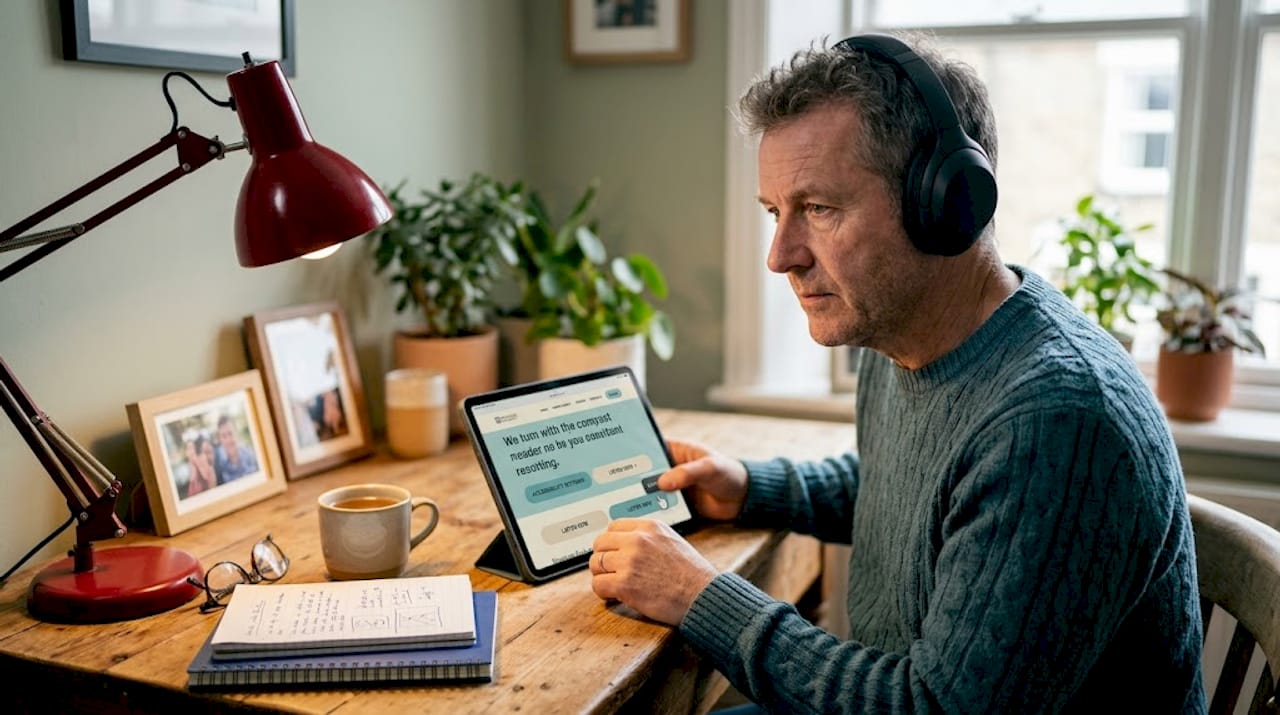
For community organisations, accessibility carries additional weight. Your audience likely includes older adults, people with low digital literacy, people using screen readers, and people accessing the internet on older or lower-powered devices. Designing inclusively from the start means you reach more people and build genuine trust.
Key accessibility considerations in website design include:
- Sufficient colour contrast between text and backgrounds (minimum 4.5:1 ratio for standard text).
- Descriptive alt text for all meaningful images.
- Keyboard navigability for users who cannot use a mouse.
- Clear, consistent heading structures that screen readers can parse.
- Captions and transcripts for video and audio content.
- Forms with clearly labelled fields and helpful error messages.
Accessibility is not a compliance checkbox. It is a design principle that reflects whether an organisation genuinely includes the full breadth of its community.
User experience (UX) sits alongside accessibility. UX is about whether a visitor can achieve their goal without confusion, frustration, or unnecessary effort. Poor UX on a community website often looks like: a buried contact form, a donation button that is hard to find on mobile, or service information written for insiders rather than newcomers. These patterns reduce engagement and, over time, erode trust. Resources focused on usability in nonprofit UX confirm that small friction points compound into significant barriers for real users.
For practical guidance on building these principles into your site from day one, the ethical and sustainable web design approach used by purpose-driven organisations offers a useful framework.
Pro Tip: Build accessibility requirements into your design templates and component libraries at the start. Retrofitting accessibility after launch is significantly more expensive and time-consuming than integrating it from the beginning.
The strategic role of purpose-driven website design in community organisations
Accessibility and UX lay the groundwork. The next layer is ensuring your website design actively serves your organisation’s mission rather than simply describing it.
Purpose-driven design means the structure, layout, and content of every page are shaped by what you need visitors to do and what visitors need to achieve. Effective design integrates clear paths for donations, enquiries, and volunteering into information architecture and page templates. This is not about making things look appealing. It is about removing every unnecessary step between a motivated visitor and a meaningful action.
Information architecture (IA) is the discipline of organising and labelling content so visitors can find it without effort. For community organisations, this often means grouping services by user need rather than internal department, and placing high-priority actions such as volunteering or donating in consistently visible positions. Reviewing examples of website layouts designed for community impact helps organisations understand how structure and mission alignment work together in practice.
| Common pitfalls in mission-driven website design | Purpose-driven design best practices |
|---|---|
| Donation button buried in the footer | Donation call to action visible on every key page |
| Volunteer form requires account creation | Volunteer sign-up accessible without login |
| Services listed by internal team name | Services organised by user need or audience |
| Contact details hard to locate on mobile | Contact information in header and footer |
| Events page not updated regularly | Events feed integrated with a calendar system |
| Accessibility addressed only after launch | Accessibility requirements built into templates from the start |
Pro Tip: Avoid separating the design process from implementation. When designers hand off static files without collaborating with developers, the result is often broken navigation, inaccessible form fields, and layouts that collapse on smaller screens. A bespoke web design process that keeps both disciplines in dialogue prevents the most common and costly failures.
Responsiveness and technical foundations for an inclusive website
With purpose and accessibility established, the technical underpinnings of website design deserve close attention. These are the systems that determine whether your site functions correctly for every visitor, regardless of how they access it.
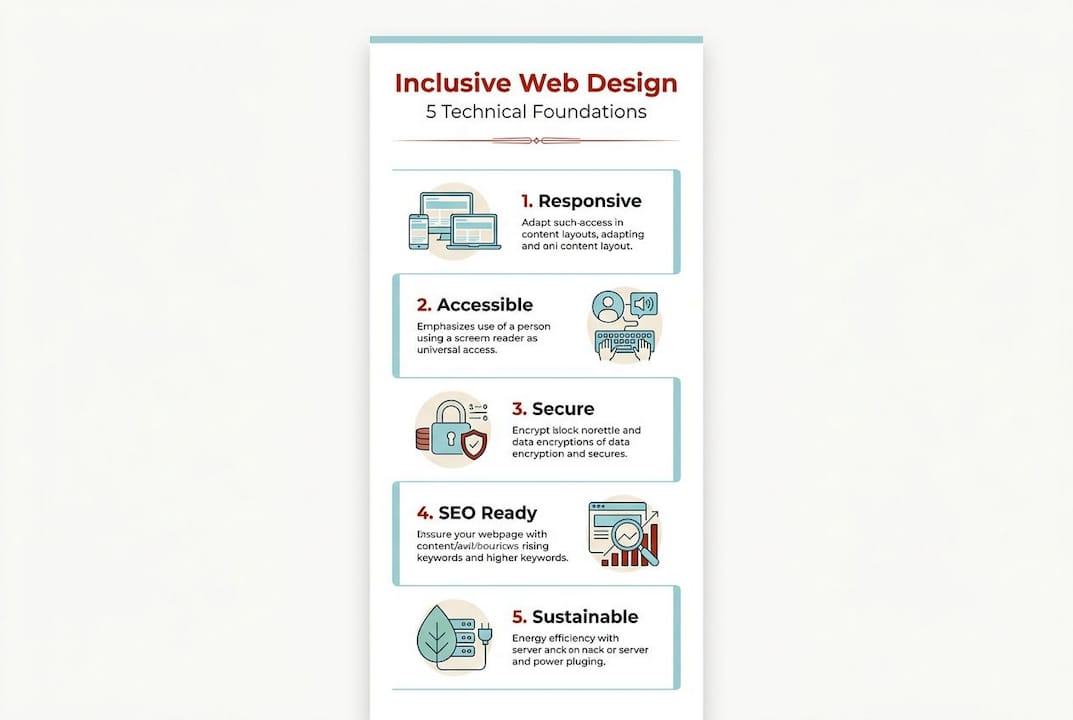
Responsive design is a website design technique in which the layout adapts automatically to the screen size of the device being used. Responsive web design adapts layout to screen size, preventing usability issues on mobile and other devices. Google prioritises responsive sites in search rankings, which means responsiveness directly affects both user experience and visibility.
The three core technical languages that underpin websites are:
- HTML (HyperText Markup Language): Defines the content and structure of a page, including headings, paragraphs, links, and images.
- CSS (Cascading Style Sheets): Controls the visual presentation, including layout, colour, spacing, and typography. Responsive design is primarily achieved through CSS.
- JavaScript: Adds interactivity such as dropdown menus, form validation, and dynamic content loading.
How responsive design works in practice:
- A CSS framework or set of custom media queries is applied to the site’s stylesheet.
- The stylesheet defines different layout rules for different screen widths (e.g., below 768px for mobile).
- When a visitor loads the site on a phone, the browser reads the screen width and applies the corresponding CSS rules.
- Images resize proportionally, multi-column layouts stack into single columns, and navigation menus often collapse into a mobile-friendly format.
- The result is a single codebase that serves all devices without requiring separate mobile and desktop sites.
| Feature | Static (non-responsive) design | Responsive design |
|---|---|---|
| Mobile display | Often broken or requires horizontal scrolling | Adapts correctly to all screen sizes |
| Maintenance | Separate mobile site often required | Single codebase for all devices |
| Google ranking | Penalised in mobile-first indexing | Supported and prioritised by Google |
| Accessibility | Higher risk of text being too small or unreadable | Text and layout scale for readability |
| User experience | High abandonment rate on mobile | Consistent experience across devices |
For community organisations reviewing the responsive web design steps relevant to their context, the technical investment required is modest relative to the improvement in reach and usability.
Integrating SEO with website design for community impact
Website design and SEO (Search Engine Optimisation) are more closely connected than many organisations realise. The structure and content decisions made during design directly affect how well a site performs in search results.
On-page SEO involves content, metadata, URL structure, and internal linking to improve search visibility and usability. Each of these elements is shaped during the design and build process, not added afterwards.
For community organisations, this matters because discoverability determines who finds you. A well-designed site that no one can find through search is a missed opportunity to connect with the people who need your services most.
Key SEO elements to audit and integrate with website design:
- Title tags: Each page should have a unique, descriptive title that reflects its content and includes relevant search terms.
- Meta descriptions: Short summaries of page content that appear in search results and influence click-through rates.
- Header structure: Correct use of H1, H2, and H3 tags supports both readability and search indexing.
- URL structure: Clean, descriptive URLs (e.g., /services/legal-aid rather than /page?id=42) improve both usability and search ranking.
- Internal linking: Links between pages support navigation for users and help search engines understand the site’s structure.
- Image optimisation: Compressed images with descriptive file names and alt text improve page speed and search performance.
- Page speed: Fast-loading pages rank higher and reduce bounce rates, particularly on mobile.
SEO should never override ethical design or accessibility principles. The website SEO benefits for community organisations are real and measurable, but they are most durable when built on a foundation of honest, accessible content.
Why meaningful website design is more than aesthetics for community organisations
A recurring pattern in website projects for community organisations is the decision to prioritise visual identity over structure and function. Organisations invest in brand colours and photography but skip the information architecture stage. They launch sites that look credible but fail to convert interest into action.
Separating design from user experience often leads to misaligned navigation and accessibility gaps that hurt outcomes and trust. This is not a hypothetical risk. It is a pattern observed consistently in community sector websites where design and development are treated as sequential rather than collaborative activities.
The importance of website design lies not in how a site looks on launch day, but in whether it continues to serve its audience reliably over time. A site that excludes people with disabilities, breaks on mobile, or buries its volunteer form is not a minor inconvenience. It is a structural barrier that compounds with every new visitor who leaves without engaging.
Community organisations operate in a high-trust context. Their audiences include vulnerable people, grant funders, government partners, and volunteers. Each of these groups makes rapid judgements about organisational credibility based on digital presence. A site that is difficult to use signals, however unintentionally, that the organisation does not fully consider its audience.
The principles behind ethical web design are well suited to this context. They prioritise function over decoration, inclusion over assumption, and long-term usability over short-term visual appeal.
Pro Tip: The most effective community websites are built through continuous dialogue between design, development, content, and the communities they serve. Treating design as a one-time deliverable rather than an ongoing practice is one of the most common reasons community websites become outdated and inaccessible within two years of launch.
How Marzipan supports community organisations with ethical website design and SEO
Understanding what website design involves is the first step. Putting it into practice for a community organisation requires specific expertise in accessibility, purpose-driven UX, and ethical SEO.
Marzipan works with mission-led organisations across Australia to build websites that meet accessibility standards, perform well in search results, and reflect organisational values. Based in Sydney, the team combines ethical AI tools, sustainable design practices, and performance-focused SEO to deliver websites that serve communities rather than just represent them.
Marzipan’s services for community organisations include:
- Accessible, responsive website design aligned with WCAG 2.2 standards.
- Websites for community legal centres and other high-trust organisations with complex information needs.
- AI-informed SEO services that improve search visibility ethically and sustainably.
- Digital marketing services focused on measurable community impact rather than vanity metrics.
- Ongoing support to keep websites accessible, current, and aligned with evolving organisational needs.
Frequently asked questions
What are the core components of website design?
Web design combines visual layout and usability for effective user interaction. Core components include visual layout, content structure, navigation, interactivity, and user experience, all of which must work together across devices.
Why is accessibility important in website design for community organisations?
Accessibility guidelines improve usability for a wide range of users, including those with disabilities. For community organisations, accessibility ensures digital content is inclusive and builds trust with the full breadth of the community served.
How does responsive design affect website usability?
Responsive design prevents usability issues on different devices and is supported by Google’s mobile-first indexing. A responsive website adjusts its layout to fit any screen size, reducing abandonment and ensuring all visitors can access content equally.
What role does SEO play in ethical website design?
On-page SEO includes content and metadata optimisation to improve site visibility and usability. Ethical SEO integrates with accessible, well-structured design rather than working against it, ensuring discoverability without compromising user experience.
How can community organisations ensure their website design aligns with their mission?
Mission-aligned design integrates frictionless paths for engagement within layout and architecture. Organisations should define their key user journeys before design begins and test whether visitors can complete priority actions such as donating or volunteering without unnecessary steps.


