

TL;DR:
- A comprehensive SEO audit checklist guides website evaluation by covering technical health, content quality, backlink integrity, and AI readiness. It organizes tasks into clear categories, assigns priorities, and emphasizes stakeholder-specific reporting to ensure actionable insights. Regularly tracking issues over time helps maintain progress and address emerging technical or content gaps effectively.
An SEO audit checklist template is a structured framework that guides marketing professionals and business owners through a systematic evaluation of their website’s search performance, covering technical health, content quality, backlink integrity, and AI readiness. The industry term for this process is a site audit, and the checklist template is the document that makes it repeatable. Without a consistent format, audits produce inconsistent findings and rarely translate into action. A well-built SEO audit template covers nine distinct layers of website performance and gives every stakeholder a clear view of what needs fixing and why.
What tools do you need for an effective SEO audit?
SEO audits rely on four main categories of tools: crawler software, analytics platforms, performance monitors, and backlink checkers. Each category serves a distinct function in the audit process. Using all four together gives you a complete picture of site health.
| Tool category | Primary function | Common tools |
|---|---|---|
| Crawler software | Identifies broken links, redirect chains, missing tags | Screaming Frog |
| Search analytics | Reveals indexation status, impressions, click data | Google Search Console, Bing Webmaster Tools |
| Performance monitors | Measures page speed and Core Web Vitals scores | PageSpeed Insights, Lighthouse |
| Backlink checkers | Analyses link profile quality and toxic links | Ahrefs |
Screaming Frog crawls your site the way a search engine would. It surfaces issues like duplicate titles, missing canonical tags, and broken internal links that are invisible in analytics dashboards. Google Search Console shows which pages Google has indexed and which it has not. That distinction matters because a page that ranks well in a crawl report but is excluded from the index contributes nothing to organic traffic.
PageSpeed Insights and Lighthouse both measure Core Web Vitals, the performance signals Google uses as a ranking factor. Ahrefs provides backlink data that no crawler can generate independently. Exporting data from each tool into a shared spreadsheet or audit platform is the standard method for populating your checklist template accurately.

Pro Tip: Export data from Google Search Console and your crawler on the same day. Data from different dates introduces inconsistencies that distort your findings.
How to structure your SEO audit template
Professional SEO audit templates commonly organise tasks into eight logical tabs: Technical, On-Page, Content, Backlinks, Performance, Analytics, Local SEO, and a Summary action plan. This structure separates concerns clearly and makes it easier to assign sections to different team members.
Each tab should include the following elements:
- Status indicators: Pass, Warning, or Fail dropdowns for every checkpoint
- Priority levels: P0 (critical, fix immediately) through P3 (low priority, address when capacity allows)
- Notes column: Space to record findings, context, and recommended actions
- Owner field: The person or team responsible for each fix
- Weighted score: A percentage contribution to the overall site health score
A complete audit template may contain over 150 checkpoints. Audit reports with 200 or more checks often weight categories by ranking impact, such as crawlability at 20%, on-page factors at 18%, and Core Web Vitals at 15%. That weighting helps teams focus effort where it produces the greatest ranking benefit.
The Impact versus Effort matrix, which classifies tasks from P0 to P3, is the most practical prioritisation framework for translating a long checklist into a manageable work plan. P0 issues block indexation or cause significant ranking loss. P3 issues are refinements that improve performance incrementally. Separating them prevents teams from spending time on minor fixes while critical problems remain unresolved.
Tailoring the template for different audiences is equally important. Executives need a one-page health score and revenue impact summary. SEO managers need category-level breakdowns and competitor gap analysis. Developers need specific, reproducible instructions with HTTP status codes, file paths, and expected outcomes.
Pro Tip: Save a dated copy of your audit template each time you run it. Longitudinal tracking reveals whether issues are recurring technical debt or isolated incidents, which changes how you prioritise them.
How to conduct an SEO audit using your checklist
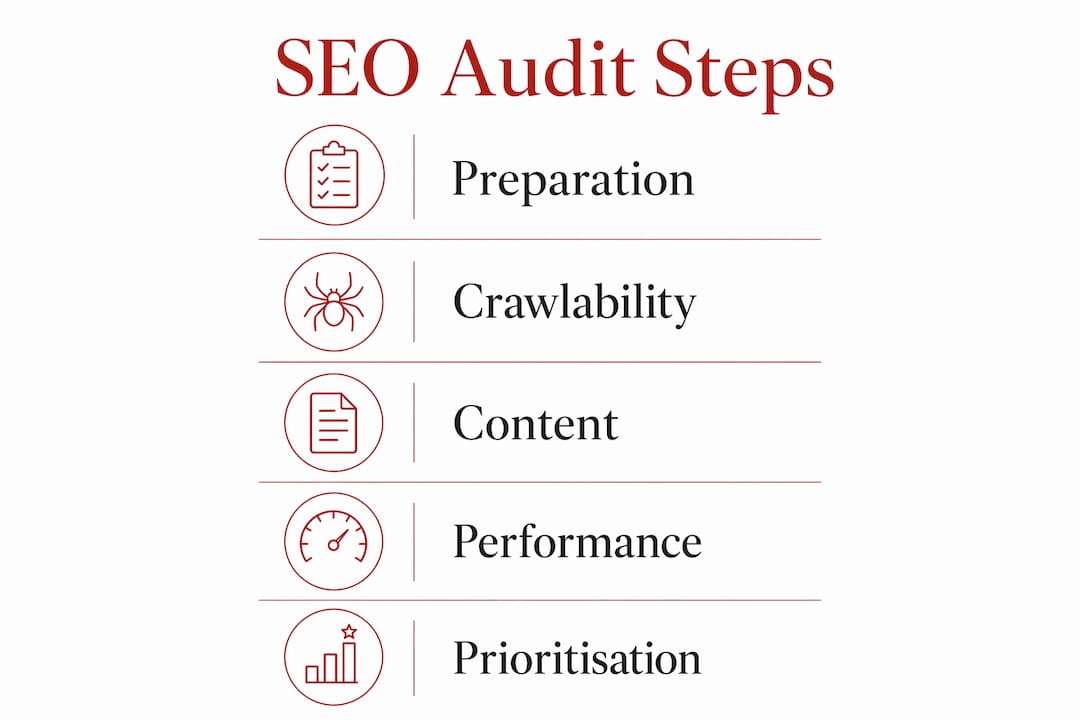
An effective SEO audit covers nine layers: crawlability, technical health, on-page structure, content quality, E-E-A-T signals, AI readiness, backlinks, Core Web Vitals, and analytics data. Working through them in order prevents gaps and ensures findings are recorded consistently.
-
Crawlability and indexation. Run Screaming Frog and cross-reference with Google Search Console. Confirm that all key pages are crawlable and indexed. Flag any pages blocked by robots.txt or noindex tags that should be visible to search engines.
-
Technical SEO health. Check canonical tags, redirect chains, HTTP status codes, and XML sitemap accuracy. A redirect chain longer than two hops adds latency and dilutes link equity. Record each issue with its URL and the recommended fix.
-
On-page structure. Review title tags, meta descriptions, and header hierarchy (H1 through H3) for every key page. Titles should be unique, under 60 characters, and contain the primary keyword. Missing or duplicated titles are a common finding that is straightforward to resolve.
-
Content quality and freshness. Assess whether existing content answers the search intent behind target keywords. Identify pages with thin content (under 300 words with no clear purpose) and flag them for consolidation or expansion. Note the publication and last-updated dates.
-
E-E-A-T signals. Google’s E-E-A-T framework (Experience, Expertise, Authoritativeness, Trustworthiness) rewards content that demonstrates real-world knowledge. Check for author bylines, credentials, citations, and clear organisational contact information.
-
AI readiness. Content written too vaguely is frequently overlooked by AI-powered retrieval systems such as ChatGPT Search and Perplexity. Audit content for specificity, named entities, and direct answers to common questions. Vague, generalised copy that ranks in traditional search may still be invisible to AI citation engines.
-
Backlink audit. Use Ahrefs to review the link profile. Identify toxic or spammy links that may trigger a manual penalty. Note high-authority referring domains and gaps relative to competing pages.
-
Core Web Vitals. Record Largest Contentful Paint (LCP), Interaction to Next Paint (INP), and Cumulative Layout Shift (CLS) scores from PageSpeed Insights. Pages that fail Core Web Vitals thresholds are at a ranking disadvantage on mobile and desktop.
-
Analytics review. Confirm that Google Analytics 4 is tracking correctly, that conversion events are firing, and that no significant traffic anomalies exist in the data.
| Audit step | Key focus | Primary tool |
|---|---|---|
| Crawlability | Indexed pages, blocked URLs | Screaming Frog, Google Search Console |
| Technical health | Redirects, canonicals, status codes | Screaming Frog |
| On-page structure | Titles, meta descriptions, headers | Screaming Frog, manual review |
| Content quality | Thin content, freshness, intent match | Manual review, Google Search Console |
| E-E-A-T | Author signals, trust indicators | Manual review |
| AI readiness | Specificity, named entities, direct answers | Manual review |
| Backlinks | Link quality, toxic links, gaps | Ahrefs |
| Core Web Vitals | LCP, INP, CLS scores | PageSpeed Insights, Lighthouse |
| Analytics | Tracking accuracy, conversion events | Google Analytics 4 |
Pro Tip: Record findings in your checklist template as you go, not after the audit is complete. Retrospective entry introduces errors and loses the context that makes recommendations useful.
How to prioritise and present your audit findings
Translating a completed website SEO audit checklist into a work plan requires clear prioritisation and stakeholder-specific communication. Without both, audit findings sit unactioned.
Use the weighted scores from your template to rank issues by category impact. Then apply the Impact versus Effort matrix to sequence fixes within each category. A P0 issue that takes one hour to fix should always precede a P1 issue that requires a two-week development sprint.
Common pitfalls in audit reporting include:
- Vague recommendations. “Improve page speed” is not actionable. “Compress images on the three product pages exceeding 2MB, identified in the attached Screaming Frog export” is.
- Single-audience reports. Sending a 150-row spreadsheet to an executive produces no action. Sending a one-paragraph summary to a developer produces no action either.
- No ownership assignment. Every finding needs a named owner and a target completion date. Without these, recommendations remain aspirational.
- Ignoring AI visibility. Audits in 2026 must satisfy both traditional search engine crawlers and AI retrieval systems. Omitting AI readiness checks means missing a growing share of organic traffic that does not appear in standard ranking reports.
Presenting tailored views to each stakeholder group increases the likelihood that findings are actioned. Executives respond to health scores and revenue framing. SEO managers respond to category breakdowns and trend data. Developers respond to specific, reproducible instructions.
Maintaining audit consistency across cycles is as important as the audit itself. Dated audit copies allow you to distinguish chronic technical debt from one-off issues. A redirect chain that appears in three consecutive audits is a structural problem. One that appears once is likely a publishing error.
Pro Tip: Create separate views or filtered exports for each stakeholder group from a single master audit document. This keeps the source of truth unified while making communication precise.
Key takeaways
A well-structured SEO audit checklist template, covering nine audit layers and tailored for multiple stakeholders, is the most reliable method for turning website performance data into prioritised, actionable improvements.
| Point | Details |
|---|---|
| Use four tool categories | Combine crawler software, search analytics, performance monitors, and backlink checkers for complete coverage. |
| Structure across eight tabs | Organise your template into Technical, On-Page, Content, Backlinks, Performance, Analytics, Local, and Summary sections. |
| Apply weighted scoring | Weight categories by ranking impact and use the P0–P3 matrix to sequence fixes by priority. |
| Include AI readiness checks | Audit content for specificity and named entities to capture traffic from AI retrieval systems. |
| Tailor reports by audience | Provide executives with health scores, SEO managers with category breakdowns, and developers with specific instructions. |
What I have learned from running SEO audits in practice
The most consistent failure I see in SEO audits is not technical. It is the gap between findings and follow-through. Teams produce thorough checklists, identify real problems, and then watch the document sit in a shared drive for three months. The audit becomes a record of good intentions rather than a driver of change.
The reason this happens is almost always stakeholder communication. A 150-row spreadsheet sent to a leadership team produces polite acknowledgement and no action. The same findings, reframed as a health score with three headline risks and estimated traffic impact, produce a budget conversation. The audit template needs to be designed with that communication gap in mind from the start, not retrofitted after the fact.
The second thing I have learned is that AI readiness is no longer optional. Content that ranks in traditional search but fails to appear in AI-generated answers is losing ground quietly. The SEO audit steps for 2026 need to include a specific check for whether content is specific enough, authoritative enough, and structured clearly enough to be cited by systems like Perplexity or ChatGPT Search. Most free audit templates do not include this yet.
Longitudinal tracking is the third discipline that separates useful audits from one-off exercises. Saving a dated copy of every audit run and comparing it against the previous version takes ten minutes. It reveals whether the team is making progress, whether fixes are holding, and whether new issues are emerging faster than old ones are being resolved. That visibility is worth more than any single audit finding.
— Ben
How Com supports your SEO audit outcomes

Com works with mission-led organisations in Sydney and across Australia to build websites and SEO programmes that hold up under scrutiny. The digital marketing services Com provides are designed for high-trust organisations that need sustainable search visibility, not short-term ranking gains. For organisations whose audit findings point to deeper technical or content gaps, Com’s AI-informed SEO services align audit insights with modern search requirements, including AI retrieval readiness. If your audit has surfaced issues you are not sure how to address, Com can help you translate findings into a clear, prioritised plan.
FAQ
What is an SEO audit checklist template?
An SEO audit checklist template is a structured document used to evaluate a website’s search performance across technical, content, backlink, and performance dimensions. It typically contains over 150 checkpoints with status indicators, priority levels, and space for recommendations.
How often should you run an SEO site audit?
Most organisations benefit from a full SEO site audit every six to twelve months, with lighter technical checks quarterly. Saving dated copies of each audit allows you to track trends and identify recurring issues over time.
What does a technical SEO audit checklist cover?
A technical SEO audit checklist covers crawlability, indexation status, canonical tags, redirect chains, HTTP status codes, XML sitemaps, Core Web Vitals, and structured data. These checks confirm that search engines can access and correctly interpret every key page.
Why include AI readiness in a website SEO audit checklist?
AI retrieval systems such as ChatGPT Search and Perplexity select content based on specificity, authority, and clarity. Content that ranks in traditional search but lacks named entities or direct answers may be invisible to these systems, resulting in traffic losses that do not appear in standard ranking reports.
How do you prioritise findings from an SEO audit template?
Use a weighted scoring system to rank issues by category impact, then apply an Impact versus Effort matrix to sequence fixes from P0 (critical) to P3 (low priority). Assign a named owner and target date to every finding before sharing the report.


