

TL;DR:
- Effective web video design aligns format with user intent, prioritizing accessibility and sustainability.
- AI-driven workflows produce consistent, high-quality content, but still require skilled human oversight and structured pipelines.
Video web design is the practice of embedding video content strategically within a website to improve user engagement, communicate brand stories, and guide visitors toward meaningful actions. The industry term for this discipline is video integration in web design, and it covers everything from full-screen background footage to interactive branching experiences. Organisations that treat video as a structural element rather than a decorative afterthought see measurably different results. This guide explains the core formats, the role of AI-driven production, and how to implement video in ways that are accessible, performant, and aligned with your values.
What are the core types of video content in web design?
Video in web design serves two distinct functions: it creates immersive first impressions and it converts passive viewers into active participants. These two roles require different formats, different technical approaches, and different placement decisions.
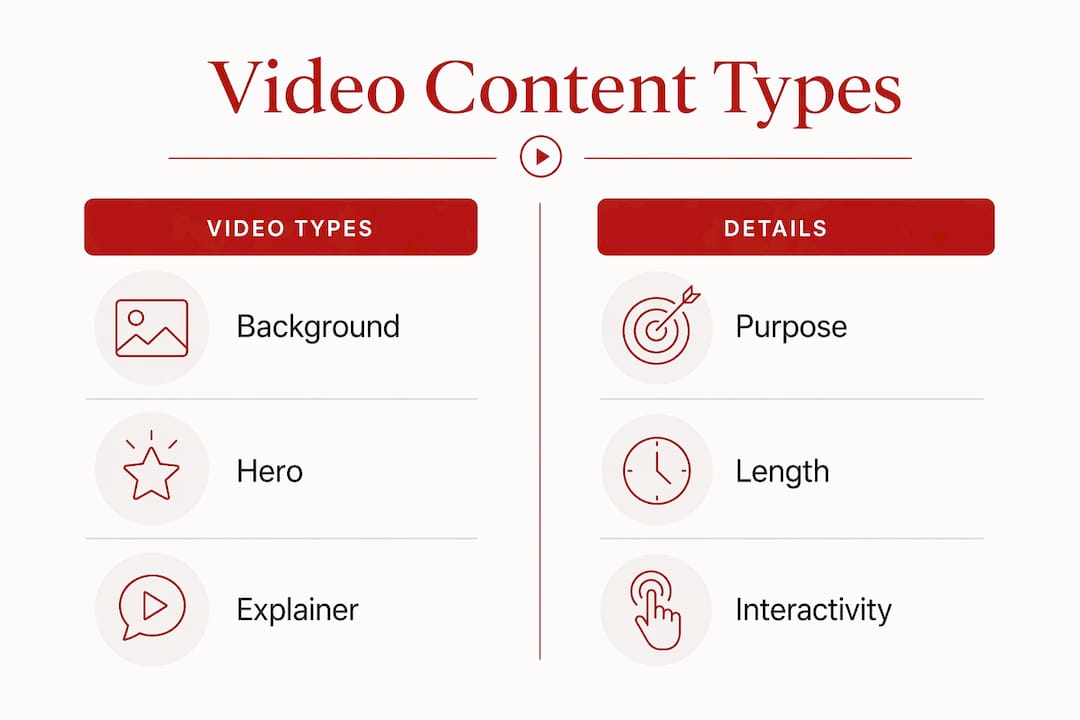
The four formats organisations use most frequently are:
- Background videos play silently behind page content, typically on homepages or hero sections. They set atmosphere without demanding attention. They work best when kept short, looped, and stripped of audio.
- Hero videos occupy the primary visual space above the fold. They carry more narrative weight than background footage and often include a headline and a call-to-action.
- Explainer and testimonial videos sit within the body of a page. Explainers clarify a service or process in under two minutes. Testimonials build credibility through real voices and real outcomes.
- Interactive videos layer clickable elements, branching paths, and timed overlays onto standard footage. They are the most technically complex format and the most measurable.
| Video type | Primary purpose | Typical length | Interactivity | Technical demand |
|---|---|---|---|---|
| Background video | Atmosphere and brand tone | 15–30 seconds | None | Low |
| Hero video | First impression and CTA | 30–90 seconds | Optional | Moderate |
| Explainer video | Education and clarity | 60–120 seconds | None | Low |
| Interactive video | Engagement and conversion | 3–15 minutes | High | High |
Choosing the right format depends on where the video sits in the user journey, not on which format looks most impressive. A background video on a services page adds little value. An interactive explainer on an onboarding page can reduce support queries significantly.
How does interactive video design transform user engagement?
Interactive video design is defined as the use of layered technology to embed clickable, navigable, or conditional elements within a video player. Interactive video technology overlays these elements on a transparent layer above the base video file, which means hotspots, branching paths, and timed triggers can be updated or replaced without re-encoding the original footage. That architectural decision matters practically: it reduces production costs and allows content teams to iterate quickly.
The core components of an interactive video are:
- Hotspots are clickable zones that appear at set timestamps. They can link to product pages, open overlays, or trigger a branch in the narrative.
- Branching paths let viewers choose what happens next. A training video might ask a question and route the viewer to different content based on their answer.
- Time triggers fire automatically at a specific point in the video, displaying a form, a caption, or a call-to-action without any viewer input.
- Overlays present supplementary content, such as a data table or a short form, without pausing the video or redirecting the viewer.
Interactive video elements drive measurable outcomes including verified comprehension, engagement tracking, and conversion calls-to-action. That transforms video from a broadcast medium into an accountable asset. For organisations that need to demonstrate impact, that accountability is significant.
Frequency matters as much as format. One interaction every 2–4 minutes is the recommended rate for a 10-minute video, meaning 3–5 interactions in total. That figure reflects the point at which engagement peaks before fatigue sets in.
Pro Tip: Test your interactive video with a small internal audience before publishing. If reviewers describe feeling interrupted, reduce the interaction frequency before you reduce the content.
What role does AI play in video content creation for web design?
AI-driven video content creation is not a single tool. It is a structured production workflow that combines multiple models to handle environment generation, character animation, and post-production colour work. AI tool adoption among professional video creators rose from 18% to 41% in a single year. That shift reflects a change in how production teams are structured, not simply a change in which software they use.
The common misconception is that AI video generation is a one-click process. In practice, professional AI video workflows require a structured multi-model pipeline for results that meet broadcast or web-publishing standards. A typical pipeline separates environment generation, character motion, and post-production colour grading into distinct stages, each using a different model or tool.
One concrete indicator of this complexity: professional creators generate three times more clips than they use in the final cut. A 3:1 generation ratio is standard practice for maintaining cinematic quality and giving editors genuine choice in the assembly stage. That ratio also explains why AI video production, done well, still requires skilled human oversight.
For organisations building or refreshing websites, AI video tools offer three practical advantages. First, they reduce the cost of producing multiple video variants for different audiences or channels. Second, they allow rapid iteration when messaging changes. Third, they produce consistent visual quality across a series of videos, which matters for brand coherence on a website with multiple video touchpoints.
AI video creation requires a structured multi-model workflow. The organisations that treat it as a pipeline rather than a shortcut produce work that holds up at scale.
How should organisations integrate video sustainably and accessibly?
Sustainable video integration means making deliberate decisions about file size, hosting, accessibility, and load performance before a single frame is published. These decisions affect both the user experience and the environmental cost of running the site.

Video content should be kept under five minutes for organisational communications. Shorter videos maintain audience focus and reduce the data transfer burden on both the server and the viewer’s device. The Nova Scotia Health Content Creator Toolkit, a widely referenced set of guidelines for health and public sector organisations, mandates this limit alongside a requirement for closed captions and transcripts on all video content.
Accessibility standards for video require captions and transcripts as a baseline. Captions serve viewers who are deaf or hard of hearing, viewers watching without sound, and viewers whose first language differs from the spoken content. Transcripts extend that reach further and improve search engine indexing of the video’s content.
On the technical side, AI-generated cinematic stills used as placeholders in hero sections prevent layout shifts during page load. A layout shift occurs when a page element moves after the initial render, which disrupts the user experience and reduces Core Web Vitals scores. Generating a still from the same AI pipeline used to produce the video creates visual continuity and removes a common source of development friction.
Pro Tip: Specify video dimensions and use a lightweight poster image for every video element in your HTML. This single step prevents the most common cause of layout instability on video-heavy pages.
For hosting, serving video through a content delivery network rather than directly from your web server reduces load times and lowers the carbon cost of data transfer. Platforms such as Vimeo and Cloudflare Stream offer this by default. Choosing compressed formats such as WebM or H.265 over older MP4 variants reduces file size without visible quality loss.
Which video marketing strategies most effectively improve engagement and conversions?
Video placement within the user journey determines its impact more than production quality alone. A well-produced video placed on the wrong page, or at the wrong point in a page, will underperform a simpler video placed where the user’s attention and intent are aligned.
Landing page design that incorporates video above the fold typically sees higher time-on-page metrics than equivalent pages without video. The reason is straightforward: video gives visitors a reason to pause. That pause creates an opportunity to deliver a message before the visitor decides whether to stay or leave.
For community-based organisations, video marketing for community engagement works best when the content features real people connected to the organisation’s work. Testimonials, event recaps, and short documentary-style pieces outperform polished brand films in contexts where trust is the primary conversion goal.
| Strategy | Primary benefit | Placement | Key metric |
|---|---|---|---|
| Hero video with CTA | Reduces bounce rate | Above the fold | Time on page |
| Testimonial video | Builds trust | Service or product pages | Conversion rate |
| Explainer video | Reduces support load | Onboarding or FAQ pages | Support query volume |
| Interactive video | Drives measurable action | Campaign or training pages | Completion and click rate |
SEO considerations for video-enhanced pages include providing a transcript or detailed description, using structured data markup to help search engines index the video, and hosting video on a platform that does not redirect users away from your domain. A video that keeps users on your site contributes to dwell time. A video that sends them to YouTube does not.
Key takeaways
Effective video web design requires matching video format to user intent, maintaining accessibility standards, and treating AI production as a structured workflow rather than an automated shortcut.
| Point | Details |
|---|---|
| Match format to function | Choose background, hero, explainer, or interactive video based on where it sits in the user journey. |
| Limit interaction frequency | One interaction every 2–4 minutes prevents viewer fatigue in interactive video experiences. |
| Prioritise accessibility | Closed captions and transcripts are baseline requirements, not optional additions. |
| Use AI as a pipeline | A 3:1 clip generation ratio and multi-model workflows produce consistent, quality results. |
| Optimise before publishing | Placeholder stills, compressed formats, and CDN hosting reduce load times and layout shifts. |
Why purposeful video design matters more than impressive video design
From my experience working with purpose-driven organisations, the most common mistake in video web design is not poor production quality. It is misalignment between the video’s content and the page’s purpose. Organisations invest in a well-made brand film and then place it on every page, regardless of whether it serves the visitor at that point in their journey.
The organisations that use video most effectively treat it as a communication decision, not a design decision. They ask what the visitor needs to understand or feel at this specific point, and then they ask whether video is the right medium to deliver that. Sometimes it is not. A clear paragraph of text, or a well-structured table, communicates faster and with less friction than a two-minute video that the visitor has to watch in sequence.
The shift toward interactive video is genuinely significant, but it carries a risk. Adding interactivity to a video that does not need it creates complexity without benefit. The technical capability to add hotspots and branching paths does not mean every video should have them. The same restraint that applies to web design generally applies here: add only what serves the user.
Sustainability is the consideration I see most frequently overlooked. Video is among the most data-intensive elements on any website. Every unnecessary autoplay, every uncompressed file, every video served from an origin server rather than a CDN adds to the environmental cost of running the site. For organisations whose values include environmental responsibility, that cost deserves the same scrutiny as any other operational decision.
— Ben
How Com supports organisations with video-driven web design
Com, trading as Marzipan Media, works with mission-led organisations in Sydney and across Australia to build websites that perform without compromising on values. Video integration is part of that work, handled alongside SEO, accessibility, and sustainable hosting decisions rather than as a separate project.

If your organisation is considering adding video to an existing site or building a new site with video at its core, Com’s digital marketing services cover strategy, production guidance, and performance measurement. For organisations that want their video content to be found as well as watched, Com’s AI-informed SEO work ensures video pages are indexed and ranked effectively. The approach is grounded in sustainable web design principles, so performance and responsibility are treated as complementary, not competing.
FAQ
What is video web design?
Video web design is the strategic integration of video content within a website’s structure to improve engagement, communicate brand messages, and guide user behaviour. It covers background videos, hero sections, explainer content, and interactive video experiences.
How long should videos on a website be?
Videos for organisational communications should be kept under five minutes to maintain audience focus. For hero and background videos, 15–90 seconds is the standard range.
Do website videos need captions?
Yes. Accessibility standards require closed captions and transcripts for all video content. Captions serve users with hearing impairments, users watching without sound, and users whose first language differs from the spoken content.
How often should interactive video include interactions?
One interaction every 2–4 minutes is the recommended frequency. For a 10-minute video, that means 3–5 interactions in total. Exceeding this rate risks overwhelming viewers and reducing completion rates.
Can AI tools replace a video production team?
AI tools reduce production time and cost but do not replace structured human oversight. Professional AI video workflows use a multi-model pipeline and a 3:1 clip generation ratio to achieve consistent, quality results. Human judgement remains central to editing, messaging, and quality control.


